 RigMatch
 The dating show where your PC meets its perfect AI
Find the AI your computer was made for.
Local models take the stage on your own PC. They answer the same questions and are timed on your hardware. One of them walks away as your Top Match, with a score measured on your machine, not taken from a leaderboard.
 Llama3.2Done · 88
 Qwen2.5Answering…
 Gemma3Up next
Picking a local model shouldn’t take a degree in graphics memory.
It reads your PC
Graphics card, memory and disk, in one click. Only models that fit get to audition.
You pick the contestants
Say what you want: chat, writing, code, pictures. Pick up to five.
The show runs
Same questions, same stage, one at a time, timed on your hardware. Every answer is kept so you can read it.
Meet your Top Match
One score, one reason, and a button to start chatting with the winner.
Llama3.2
Gemma3 came second at 86.6 and Qwen2.5 third at 81.0. A close second may still suit you better, so chat with both.
One honest number
The Match Score blends four measurements, all taken on your computer. Slide between accuracy first and speed first and the ranking updates, without running anything again.
- Answer quality× 0.34
Checked by rules where there is a right answer, and by a judge model where there isn’t.
- Speed× 0.32
Tokens a second and time to the first word, measured on your hardware.
- Finish rate× 0.18
Whether it finishes its answers, without errors or running out of time.
- Fit× 0.16
How comfortably it sits in your memory, leaving room for everything else.
Not just chat
- Chat and writingEveryday questions, drafts and summaries.
- CodeCode questions, and an App Builder that makes something you can open.
- Tools and agentsSix working tools: it checks the model calls the right one with the right details.
- PicturesImage models in ComfyUI, the same prompt side by side.
- Video, sound and musicClips from ComfyUI’s video and audio models, with your eye and ear as the judge.
- Listening and reading picturesSpeech to text and questions about a picture, each with an answer to check against.
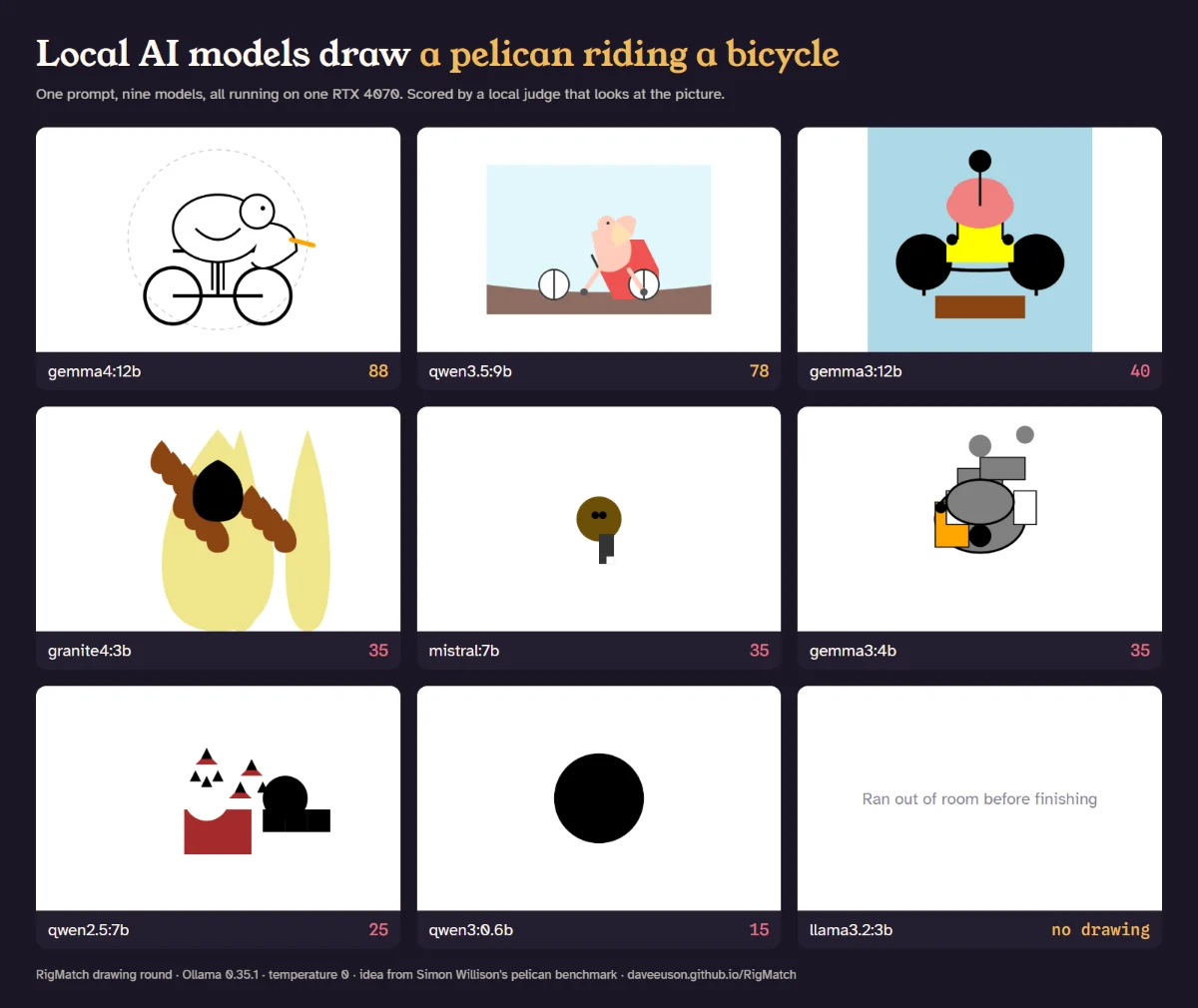
Can it draw a pelican riding a bicycle?
The standard question set now includes a drawing round, borrowed from Simon Willison’s pelican benchmark. Each model has to answer with a drawing written as code (SVG). RigMatch cleans it so nothing in it can run, then the judge model scores it.
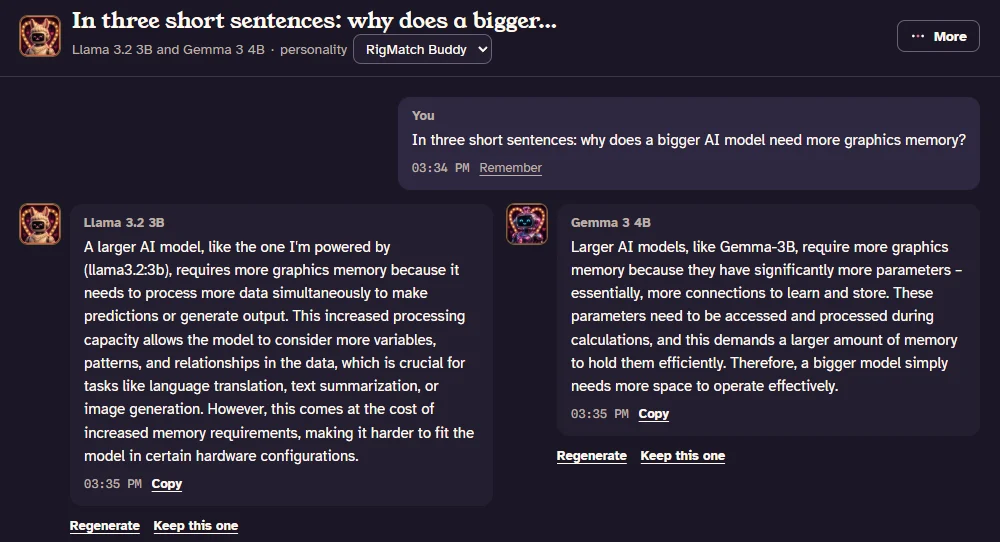
Ask two models at once
In RigMatch Chat, Ask a second model too sends each message to two models and shows their answers side by side. Each keeps its own conversation, and Keep this one goes back to a normal chat with the one you preferred. If the two don’t both fit in your graphics memory, Chat warns that they may take turns.
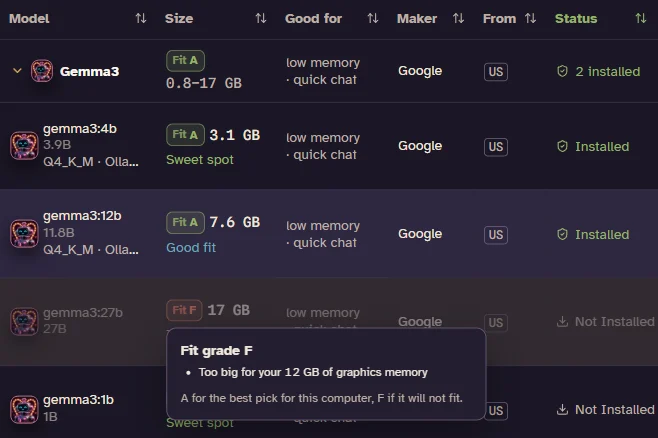
See what fits before you download
On the Models list in Advanced Mode, each model gets an estimated Fit grade for your computer, from A to F, before you test or download anything. It weighs whether the model fits in your graphics memory, how fast it should run and how good it is for its size, and shows a question mark when a model’s size isn’t known. Click a grade to read the reasons.
Or ask from a terminal
npx rigmatch-fit prints the same grades for the models that run well on your computer, best first, with the command to get each one. Models you already have are marked *. It needs Node.js 20 or newer, a free download from nodejs.org that includes npx, and it downloads no models. Its speeds are estimates, in words per second (tok/s). --measure times the four test models (llama3.2:3b, qwen3:8b, qwen3:14b and, on a 24 GB card, qwen3:30b-a3b) if you have them, or one model you name.
> npx rigmatch-fit
o-*-o-*-o-*-o-*-o-*-o-*-o-*-o-*-o-*-o-*-o
|   R I G M A T C H     fit check       |
|   Who will your PC go home with?      |
o-*-o-*-o-*-o-*-o-*-o-*-o-*-o-*-o-*-o-*-o
NVIDIA GeForce RTX 4070, 12 GB graphics memory, 61.6 GB system memory
Ollama is running with 11 models installed: 4 in this list, marked *. --installed lists all 11.

Grade  Model             Size    Speed      Fit         Command
A      qwen3.5:9b *      6.1 GB  ~49 tok/s  Sweet spot  ollama run qwen3.5:9b
A      qwen3-vl:8b       5.7 GB  ~53 tok/s  Sweet spot  ollama pull qwen3-vl:8b
A      mistral-nemo:12b  6.6 GB  ~46 tok/s  Sweet spot  ollama pull mistral-nemo:12b
A      ministral-3:8b    5.6 GB  ~54 tok/s  Sweet spot  ollama pull ministral-3:8b
A      qwen3:8b *        4.9 GB  ~61 tok/s  Sweet spot  ollama run qwen3:8b
...
Tonight's Top Match: qwen3.5:9b (A, ~49 tok/s). Say hi: ollama run qwen3.5:9b
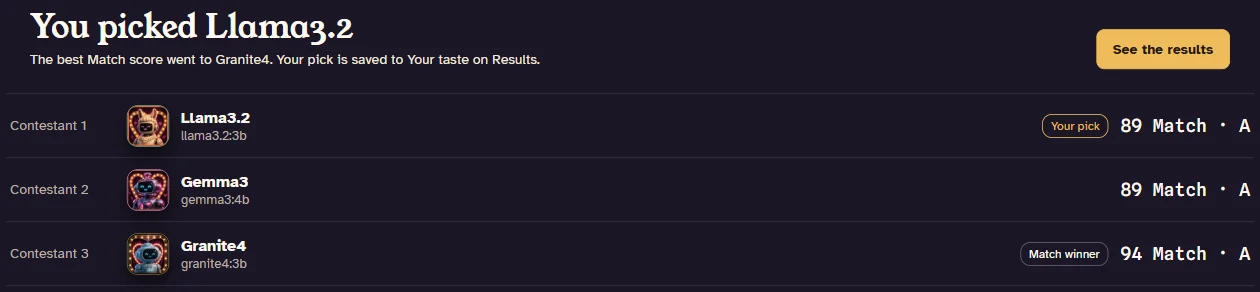
Blind dates
Turn on Blind show in Advanced Mode and the contestants become Contestant 1, 2 and 3, with their names, sizes and scores hidden while they answer. At the end you read their answers side by side and pick the one you’d rather use. Then the names come out, with the Match winner beside your pick. Your picks add up into a ranking of your own, Your taste, kept apart from the judge’s scores.
How fast is your PC, really?
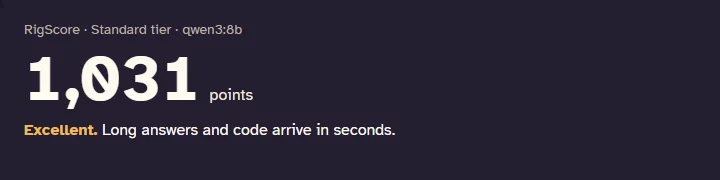
Speed score, under My PC in Advanced Mode, runs the same test (RigScore) on any computer and gives one number you can set beside someone else’s. Higher is faster. An RTX 4070 scores about 1,000 in the app; the same PC can read 15 to 20 percent higher or lower from run to run, and the command-line test usually reads a little higher.

Is Ajax everything it claims to be?
Ajax and the stock Qwen 3.5 9B it was fine-tuned from, the same questions on the same PC, every answer side by side.
Local by default
Models run through Ollama and ComfyUI on your own hardware. No account, no telemetry. The exceptions are the OpenRouter judge and Ollama’s cloud models, which you’d have to choose yourself, and RigMatch shows what would leave your computer before every show.
- No account
- No telemetry
- Models stay on your disk
- Source-available on GitHub


Meet your PC’s perfect match.
RigMatch and RigMatch Chat, free, with every feature. They’re donationware: if they help, you can buy me a coffee, and nothing is locked if you don’t. You’ll also need Ollama; RigMatch walks you through setting it up. The code is public so you can check what the apps do, but it’s source-available, not open source.